
-
The forum downloads section will be removed on Jan 1st 2023. Players may still download mods that are currently hosted, but new submissions are no longer being accepted. Mod makers are advised to relocate their mods to alternative hosting solutions.
Game Modifications
723 files
-
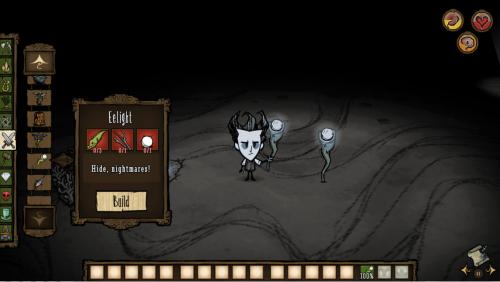
Eelight
DS RoG or DST.
Luminous bat from eel for ruines.
Eel - 3, twigs - 1, lightbulb - 1
46 damage, 100 use, will be spiled after 6 days
Can be eaten and stored in a fridge to keep it from spoiling.
Download from Steam
1361 downloads
Updated
-

crock pot Waiter 101 (RoG, SW)
Adds Many additional crock pot recipes.
Batilisk wings are made cookable (they count as 1/2 monster meat)
Seeds made cookable
Cold meat dish included to cool Wigfrid during the summer
Candied Bacon included to help Wigfrid with sanity
- compatible with Display Food Values and Smarter Crock Pot mods
- compatible with Beefalo Milk and Cheese mod (can used cooked Milk in any recipe that requires milk)
Please leave feedback if you have any comments, errors, or suggestions
Known issues
Items don't appear properly in Warly's portable crock pot (will be fixed next update)
Some recipes accidentally disabled in Shipwrecked (will be fixed next update)
Expect New Changes Soon
=-=-=-=-
A version compatible with DST is on steam
You can download it here - even without a steam account
http://steamworkshop.download/download/view/381565292
5883 downloads
- food
- shipwrecked.
- (and 1 more)
Updated
-

Animated "Don't Starve"-Themed Cursor Pack
Never lose your Cursor in Snowstorms again with the
Unofficial Don't Starve Animated Cursor Pack
Including 15 Cursors inspired by the artstyle of Don't Starve!
Precise enough to use at work and the survival-y feel of your favourite
game is finally complete with this original handdrawn Cursor Pack!
How to install:
http://forums.kleientertainment.com/topic/68711-how-to-install-your-own-cursor-pack-eng
Also check out my other cursor packs:
Webber-Themed Animated Cursor Pack
Melon on a Stick Cursor Pack
2808 downloads
Updated
-
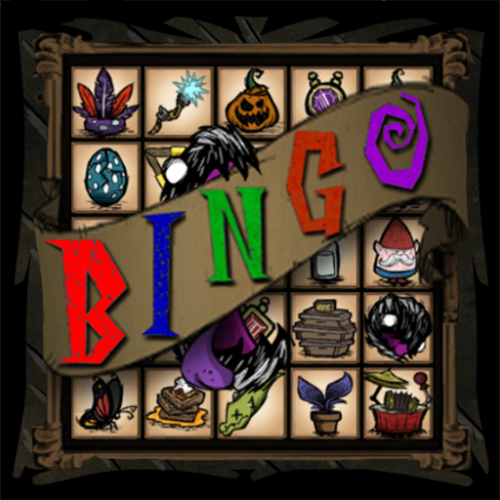
Bingo!
Play BINGO in Don't Starve!
Bingo is a game that has 25 tiles in a 5x5 grid. To win, you must complete 5 consecutive tiles horizontally, vertically, or diagonally; in Don't Starve, that means collecting, crafting, or building whatever's in the tile.
Features:
randomized BINGO board tracking of tile completion and wins (with a little animation upon winning) client-only mod -- works on any server customizable difficulty settings to include/exclude items from mods, caves, ruins, etc saves your current board and progress when the world is saved or when you log out ability to see the bingo seed and input custom seeds to get identical boards ability to create a custom list for the board (advanced) controller support special compatibility with Minimap HUD and Combined Status
Controls:
Click the bolt that pops up when hovering over the board to open the menu.
The default toggle key to open/close the board is 'v'.
Don't Starve Together Controls:
Misc Menu 3 to open/close the board for controllers.
Misc Menu 4 to open/close the menu for controllers.
Don't Starve Controls:
'Debug Menu' to open/close the board for controllers.
'B' to open/close the menu for controllers.
This standalone is compatible with every iteration of Don't Starve: Vanilla, Reign of Giants, Shipwrecked, and Don't Starve Together.
I'm only posting this here because I'm vaguely aware of this thing called GOG that people apparently use, so this special version is just for them. If you have steam, you're better off downloading it from the steam workshop:
Don't Starve Steam Version
Don't Starve Together Steam Version
More links:
Main Forum Thread
Introduction Video (explains things that I skimmed over)
Credits:
Geniebabe
She helped test the mod to make sure there's no game-breaking bugs that I missed. Thanks, Genie!
Rezecib
I asked a question in the forums about differentiating between modded and default items so that I could add the option of including modded items, and I used Rez's solution. Thanks again Rez!
CarlZalph and DarkXero
I was having difficulty getting DST clients to save their data on any random server, and both of these guys helped me resolve that issue on the forums. Most people play as clients in DST, so it would have sucked if the majority of people couldn't save their boards or progress. Huge thanks to these guys!
The developers of TooManyItems
I studied their TooManyItems mod and used their method of resolving modded item icon paths, their method of positioning item slots, and other bits and bobs.
The awesome developers over at Klei!
If I'm giving credit, it'd be silly not to thank these fine folks. Without them, this would just be some incredibly lame internet bingo game based on ... numbers! Sure, numbers are pretty cool, but not quite as fun as a frog-rain bonanza!
FAQ:
Q:
What does "Stay at TR" mean in the config options?
A:
Bingo's default board location is top right, but since minimap HUD is such a popular mod, and its default location is exactly the same as mine, I made a check to see if minimap HUD is enabled, and if so then I force Bingo's location to be compatible with minimap's default even if the config is set to top right; I'm betting ~90% of people never go into the mod configs, and when they see that the bingo board is covering their minimap, they'll be upset and disable it. "Stay at TR" is for people who actually pay attention to configs, and it overrides my forced compatibility (you can go into minimap's config and change its location).
Q:
How do I select things in the settings menu with a controller?
A:
When you open the menu, I restore mouse functionality back to you, so you can make your selections with the mouse, then when you're satisfied, close the menu and controller functionality is toggled back on. If you're unsure about what an item is, you can hover over it with the mouse at this point to see. You can open and close the bingo board at your leisure with the controller, but when you want to reset the board you just have to use the mouse. That's not too bad, right?
Q:
I entered in the same seed as my friend, but we got different boards.
A:
You must also have the same difficulty selected and checkboxes checked in order to get the same board. Don't forget to check the custom seed checkbox in the lower left either.
Q:
Custom seed doesn't work at all.
A:
Don't forget to click the custom seed checkbox on.
Q:
It doesn't work. I got an error message.
A:
I'm gonna need more info than that in order to do anything. Post your log, error message, and relevant details in the bug reports thread below.
Known DST bugs:
Currently in DST you will get different overworld and cave boards. Make sure to log/save before heading in/out of caves or your progress or board won't be saved. Sorry for the inconvenience. Hopefully I can fix this soon.
Known DS bugs:
The board will not update if a new inventory item goes to your backpack. This is caused by a bug in the base game. Klei knows about it, and will hopefully update DS soon.
468 downloads
Updated
-
Damage Indicators
Such Red. Less Green. Much ouch. So Bääääm. WOW
Damage Indicators are over 9000!!
Damage Indicators
/ˈdæm.ætʒ ˈɪn.dɪ.keɪ.torz/
Such Red. Less Green. Much ouch. So Bääääm. WOW
Damage Indicators are over 9000!!
(Oh yeah.. nearly forgot: get this mod to display cool fancy numbers on top of the heads of monsters you are just smashing)
Configuration-Options:
Only show damage: No heal.
Display mode: 'Straight' for OCD-Version.
Amount of Numbers: Low for number-hell if you freeze.
Decimal Points
Intention: http://forums.kleientertainment.com/topic/30774-mod-idea-damage-indicator/
Steam: http://steamcommunity.com/sharedfiles/filedetails/?id=220511926
Big thanks to @simplex for inspiring code snippets!
14514 downloads
Updated
-

shipwrecked Too Many Items for Shipwrecked
Hi, Original Mod Page: http://steamcommunity.com/sharedfiles/filedetails/?l=spanish&id=257781035
I upload this here because some people will see more easy to Download...
Better Version:
4135 downloads
Updated
-

shipwrecked Infinite Tools
Hi, Original Creator: https://steamcommunity.com/sharedfiles/filedetails/?id=717953407&searchtext=
Compatible with Everything
5512 downloads
Updated
-

quacken Re-Buff the Quacken!
DISCLAIMER: Does not include ghostly eyes.
If you have Steam, visit the Steam workshop version of this mod, if you please: http://steamcommunity.com/sharedfiles/filedetails/?id=698370106
----------------------------------------------------------------------------------------------------------------------------------------------------------------------------------------------------
Hello, sailors! Are you complaining about how easy it is for you to defeat the bosses of Shipwrecked? Are you seeking a greater challenge? Look no further! This mod turns the big baddies of the sea into foes tougher than nails! Have a read about the new powers and abilities the bosses gain in this mod!
----------------------------------------------------------------------------------------------------------------------------------------------------------------------------------------------------
Tiger Shark Buffs:
Ocean Expertise - Tiger Shark will now keep moving when attacking in water, similar to the Dragonfly. Though, she starts her attacks out of range.
Suprise Jump - Tiger Shark's jump start in the ocean now goes with little warning, but it's not aimed at the player. Her landing and recovery time on the ocean is much faster as well.
Wide Maw - Tiger Shark's range on land has increased.
Bloodthirsty - Tiger Shark now attacks a bit more frequently.
Acrobatic - Tiger Shark now jumps more often on land, and will jump up to two times in a row!
Fear the Cat - The Tiger Shark has an insanity aura now. Scary, isn't it?
Razor Fangs - The Tiger Shark now does 200 damage to non-player creatures.
Born to Hunt - - Sharkittens will now target and attack any creature of its size. This includes players.
---------------------------------------------------------------------------------------------------------------------------------------------------
Sealnado Buffs:
Raging Storm - The Sealnado now tears through ANY smashable structure it comes in contact with!
CHAAAARGE - Sealnado's charge attack now HURTS, and it'll attempt to charge at you randomly! There'll be a warning animation for when it prepares to charge.
Clingy - Going Somewhere? The Sealnado will attempt to catch up by charging at you!
Tsunami - The Sealnado's ocean tornado attack has been intensified. Cowabunga!
Tearing Twister - Now other living things are affected by the Sealnado's tornado attack. If they're near it, they'll be grounded to dust!
Greedy Winds - The Sealnado's atacks now snatch your weapon off your hand. Give that back!
Focused - The Sealnado can no longer be stun-locked by groups of creatures.
Shielding Winds - THE SEALNADO IS NOW INVINCIBLE WHEN IT'S DOING ITS TORNADO ATTACK.
Shocking - The Sealnado's standard attacks electrocute the player now. Zap!
---------------------------------------------------------------------------------------------------------------------------------------------------
Quacken Buffs:
Sing to Thee - Playing the dripple pipes on deep waters now has the possibility of summoning the Quacken (uncommon chance and will not work during the rain, however)!
At Night, It Awakes - During the full moon, there's a very rare chance that the Quacken will ambush you whenever you sail/row on deep waters!
SPLASH - The Quacken will spawn 10 waves when it submerges and re-emerges. This includes its submerge of defeat.
More Sturdy than Thulecite - The Quacken's once decent 1,000 health is now 3,500, and now the Quacken will submerge for a total of 9 times! A fight that can last a day!
Bombs Away - The Quacken now shoots 5 ink bombs that deal 100 damage and slow you down even more! The Quacken will also fire more accurately, with 1 ink bomb per salvos always being aimed directly at its target.
Keep Em' Coming - The Quacken's screeches will now summon and revive all of its tentacles. When will it ever end?
Third Eye - The Quacken's third eye allows it and its tentacles to target shadow Maxwells. No one's gonna sneak on the Quacken this time!
Scary Face - The Quacken now drains sanity similar to Spider Queen.
Unwelcome - As long as you are not on water, the Quacken will attempt to keep up with you to make sure you're out of the ocean!
First Victim - As soon as the Quacken is summoned, you'll be its first target!
Quacken Tentacle Buffs:
Stone Tentacles - 90 health? Make that 300 health! Time to kite!
Whiplash - The tentacles now deal 75 damage to players and deal 150 damage to other creatures. Look out!
Hyperactive - The tentacles now attack more rapidly. Keep their rhythm in mind!
Knock it Off - Getting hit by the tentacles will knock your weapon out of your hand. Pray the weapon doesn't fall next to another tentacle!
Tentacle Forest - The tentacles are now more clumped together. Some will be near the Quacken's head!
Plokamiphobia - The tentacles now drain sanity similar to hounds.
Quacken Tentacle Nerf:
Quacken's tentacles now spawn less waves.
Quacken Loot Buffs:
Made Fresh for You - All items with durability are more likely to be minted (completely unused).
Ain't Nobody Got Time - The Chest of the Depths will now grant a lazy explorer staff instead of a walking cane.
Clubbin' - You have the chance of getting a thulecite club from the Chest of the Depths! Now you can get a full set of thulecite armoury!
We've Got to Have... - The Chest of the Depths can now give up to a total of 40 dubloons!
Spice it Up - The Chest of the Depths can also grant up to a full stack of obsidian (40).
Be Jeweled - Added red, blue, and purple gems as a possible reward from the Chest of the Depths.
Magical "Seaweed" - The Chest of the Depths now has a chance of granting you a mandrake! Who put that there?
From the Depths of Hell - The Chest of the Depths can now grant up to 40 nightmare fuel for all your evil-doing needs.
Pretty Lights - Up to 20 bio-luminescence can be found within the Chest of the Depths.
King Neptune - You can get a trident out of the Chest of the Depths! Rule the ocean with this fork of royalty!
Heating Heart - You might find a dragoon heart within the Chest of the Depths. Delicious!
Many True Earrings - You can get a one true earring from the Chest of the Depths.
Past Victims - The booty bag dropped by the Quacken will contain items that belonged to its past victims, from hats, to boat pieces, to tools and weapons.
Ancient Junk - Trinkets can now be found within the booty bag and/or the Chest of the Depths.
---------------------------------------------------------------------------------------------------------------------------------------------------
Miscellaneous:
Keep it Down - The Quacken's screech and Tiger Shark's roars shake the screen now. Disorienting, isn't it?
A Great Chill in the Moonlight - The Quacken will now only spawn during the full moon (the dripple pipes ignores this), but its likelihood of appearing is also increased. A hurricane is also started when the Quacken awakens.
Incoming - The ink bombs now have a warning shadow. The better to dodge them with!
Roaring Waves - Tiger Shark's roar in the sea now spawns 9 waves.
Quiver in Pain - The Quacken's tentacles now make noise when they're leaving/defeated.
Gone Means Gone - Removed the Quacken and its tentacles' physics when they're underwater. While the Quacken and its tentacles are submerging/submerged, they cannot be attacked. saves your cutlass durability, huh?
Sound the Alarm - Characters will now comment on the Quacken's approach.
---------------------------------------------------------------------------------------------------------------------------------------------------
COMING SOON (or whenever I'm not busy/lazy):
Configurable Options - Someday, I'll make this mod have configurable options. A few simple clicks would be all that's needed to change what kind of bosses you want! No longer will people need to manually switch between the tough Quacken, giant Quacken, and the default Quacken!
Sing to Thee - There may be more than one way to summon the Quacken...
A Set Piece - There may be a set piece somewhere in the deep ocean chock-full of wrecked ships. If you try interacting with one of the wrecked ships in any way, then there's a high chance that the Quacken will ambush you.
BETTER LOOT - For example, a boat called the Quacken Cruiser, with the speed boost of coffee, infinite light like a buoy, and durability of 1,000-2,000. Or maybe a Shipwrecked houndius shootius, called the Sharker Bombardier, made from an Eye of the Tiger Shark, a Magic Seal, and globs of ink that the Quacken drops upon defeat. It'll be ocean-compatible, so you can have a bunch of turrets to keep those sea hounds at bay.
----------------------------------------------------------------------------------------------------------------------------------------------------------------------------------------------------
So, what are you waiting for, daring sailors? Do you have what it takes to defeat the "mightiest creature in the sea"? If so, then download this mod now and get your *Ship Wrecked* today!
429 downloads
Updated
-
Pengulls don't attack walls - mod
This is my first game modification so install this at your own risk (lol). I have played with it around 100 in game days and haven't had any trouble.
This change doesn't let pengulls attack your walls.
The downloaded file should go into C:\Program Files (x86)\Steam\steamapps\common\dont_starve\data\scripts\brains and replace the original penguinbrain.lua
You should backup the original file just in case.
I haven't tested this with DLCs but it should work.
166 downloads
- pengulls
- dont attack
- (and 1 more)
Updated
-

Talkative Object
This mod allows you to know all the essential information about objects all around you.
For example : number of cycle left to fertilise again a grass, time before the torch run out or when a pigman will stop to following you and many other things.
Works with all versions of DS
This mod is able to evolve with your suggestion so feel free to ask and don't hesitate to report any bug
676 downloads
Updated
-

(Abandoned)Deluxe Campfires (remastered)
Ok, i suscribe on the deluxecampfires mod in steam workshop,
but when i load the game this say "RECYPE_GAME_TYPE" crash
ok i fixed the mod and load here for the standalone gamers
(I know what it feels to not download a mod when you're standalone )
credits to the original author Mark Pick
(Better to up the willow's sanity regen!! and winter)
4841 downloads
Updated
-
justATest
I'm trying to learn to mod this game, using this webpage as a placeholder for the modinfo thing.
7 downloads
Submitted
-

Obedient Companions
Make your companions heed your call - right-click follower items to have companions return.
Version 1.1
---
The situtations that inspired this mod were leaving pets in safe places - like on the middle of a road while traveling somewhere off screen to deal with incoming hounds and calling them to you when organising chests so you can move items easily. This mod lets you position them easily and avoid moving them by "rubber banding".
Remember you can still inspect companion items by holding alt.
Source code is avilable on gitlab: https://gitlab.com/star_lion/obedient-companions/tree/master
---
CHANGELOG:
[1.1] - 2016-06-12
- Added polish - characters now speak a variety of phrases when calling companions
- Fixed sleeping companions not listening on first call
[1.0] - 2016-06-11
- Added basic functionality
1544 downloads
Updated
-

Updated
-
Doom Mod
If you like it, you can subscribe in Steam Workshop:
http://steamcommunity.com/sharedfiles/filedetails/?id=594374110
Doom modification for Don't Starve.
Features:
- Shotgun with ammo
- Plasma gun with ammo
- Chainsaw
- Small and big medkits
- Explosive barrel
- Soul sphere and Megasphere
- Lamp and candles
- Special sounds
Available in future:
- More guns, items and structures
- Friendly and enemy NPC
- Character
- Porting for DST
Hf
2396 downloads
Updated
-
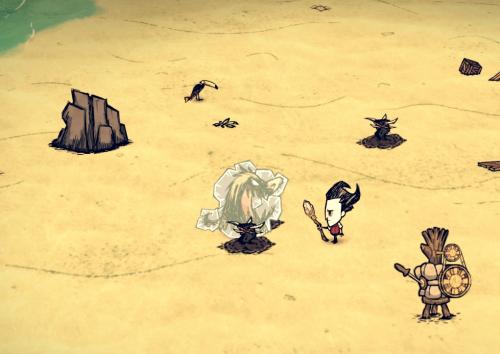
More Trap
*1.0.1 Support DS, ROG, Shipwreck
Add 2 new traps to the game in Fight tab
Fire trap
burn enemy when activated.
recipe: 1 log , 1 rope, 2 houndstooth, 2 charcoal
Ice trap
freeze enemy when activated (not instant freeze depend on what type of mob same function as ice staff)
recipe: 1 log , 1 rope, 2 houndstooth, 2 ice
Required
Science Machine
786 downloads
Updated
-

(abandoned) Wide FOV
Expands the Field of View.
The default vanilla FOV is 35. The more you'll increase that value, the more PC resources will be needed. Keep that in mind if you're using a low-end machine.
In game configuration from 35 to 45.
Compatibilities Not compatible with MapRevealRadius.
How to install this mod It's better to disable the Steam Cloud feature for the game. Always backup your savegames, profile and saveindex before installing a new mod or you'll be very sour if something goes wrong. They are usually located in "..\Steam\userdata\<your steam ID>\219740\remote" or "My documents\Klei\DoNotStarve\save". Backup all the files found in those folders.
Extract the folder located in the archive to "...\Steam\steamapps\common\dont_starve\mods" or the equivalent if you use the standalone version. Once in game, head to the mods tab and activate the mod (the Neat version requires a restart) then configure it.
If you like the mod, show it some love and rate it. If you have any issues or suggestions, leave a comment down below5938 downloads
Updated
-

(abandoned) Shortcuts
A very simple mod that adds shortcuts.
B : opens/closes the backpack
R : shows/hides the recipe tab
Look inside modmain.lua if you want to remap the keys. Instructions included.
Compatible with Personal Backpack Slot.
535 downloads
Updated
-

(abandoned) Tweaks Pack
Customize your experience.
[WARNING] If you decrease the food spoiling rate (increasing food durability), the food in existing saves will spoil a bit. That's because the game doesn't take into account the remainig time but the spoilage percentage. When you increase the food durability, the percentage goes down (basic math). Any food collected afterwards will be fine.
RoG and SW compatible.
Features - Piggyback speed penalty : On/Off
- Increasing items stacks. The non-stackable stay unchanged.
- Healing multiplier : More/Less
- Sanity gain/loss multiplier : More/Less
- Food value multiplier : More/Less
- Hunger build up rate : Faster/Slower
- Food spoiling rate : Faster/Slower
- Food staling : On/Off (food still spoils, but no stale state)
- Tree chopping : Faster/Slower
- Mining : Faster/Slower
- Tools durability : More/Less
- Survival tools durability : More/Less
Compatibilities This mod may not be compatible with other mods that do similar things.
How to install this mod It's better to disable the Steam Cloud feature for the game. Always backup your savegames, profile and saveindex before installing a new mod or you'll be very sour if something goes wrong. They are usually located in "..\Steam\userdata\<your steam ID>\219740\remote" or "My documents\Klei\DoNotStarve\save". Backup all the files found in those folders.
Extract the folder located in the archive to "...\Steam\steamapps\common\dont_starve\mods" or the equivalent if you use the standalone version. Once in game, head to the mods tab and activate the mod (the Neat version requires a restart) then configure it.
If you like the mod, show it some love and rate it. If you have any issues or suggestions, leave a comment down below.2137 downloads
Updated
-

(abandoned) RPG HUD
These 2 mods let you add backpack and amulet slots, increase inventory, backpacks and containers size. The Neat version can display custom bar badges (health, hunger, sanity), naughtiness meter and thermometer above the inventory. It has custom UI art, too. RoG and SW compatible. Customization options What both mods have in common : - Backpack slot : Yes/No - Amulet slot : Yes/No - Inventory size : Default version : 15, 20, 25, 55 / Neat version : 15, 25, 45 - Piggyback speed penalty : Yes/No - Backpacks size : Default/Large (backpack : 10 - piggyback : 14 - Krampus sack : 20) - Storable backpacks : Yes/No - Containers size (chest and icebox, not chester) : Default/Large (16) - Colored slots (chest, chester, icebox, crock pot) and custom equippable slots backgrounds. - Corner shortcuts (pause, map, rotate) : Show/Hide - Further zoom out without the game pushing it back to default. What's only in the Neat version : - Custom badges : Yes/No - Naughtiness meter : On/Off - Thermometer : On/Off - Celsius/Fahrenheit - Wetness value : Hover/Always show - Clock text : Hover/Always show (for keyboard/mouse only) Compatibilities - High chance of incompatibility with mods that modify backpacks, inventory slots, equipment slots or chests. - Neat version : Not compatible with mods that change badges (health/sanity/hunger) unless you don't use RPG HUD's cutom badges. - Compatible with Always on Status but custom badges are turned off automatically to avoid crashes. - If you encounter crashes, make sure your game is up to date first then try runnig this mod alone. If it works alone and crashes with another mod, it means they are not compatible. You can let me and the other mod's author know about it. Playing with a controller When using a controller, the backpack content will be displayed in a single line underneath the inventory like in the vanilla game. However, since you can have very large backpacks, and in order to keep the UI nice and clean, the backpack line will never exceed the inventory/equipment line. Keep that in mind when customizing the options. Example : 15 slot inventory, no amulet/backpack slot : the line is composed of 15+3 = 18 slots. So a larger Krampus's sack (20 slots instead of 14) would be sized down to 18 slots aswell. Minor issue : If you disable your controller while in game, the very last (2-5) slots of your backpack may be inaccessible (Krampus sack + bigger backpacks + Neat 25 or Default 15). Just reload your save to fix that. How to install this mod It's better to disable the Steam Cloud feature for the game. Always backup your savegames, profile and saveindex before installing a new mod or you'll be very sour if something goes wrong. They are usually located in "..\Steam\userdata\<your steam ID>\219740\remote" or "My documents\Klei\DoNotStarve\save". Backup all the files found in those folders. Extract the folder located in the archive to "...\Steam\steamapps\common\dont_starve\mods" or the equivalent if you use the standalone version. Once in game, head to the mods tab and activate the mod (the Neat version requires a restart) then configure it. Quickest Q&A ever Q : Will you port this mod to DS Together ?
A : No. I won't be making any more mods. But if someone wanted to port my DS mods to DS Together, that's fine with me.
Q : How can I help you ?
A : You can give me feedback on glitches and crashes down below. If you are interested in testing RPG HUD before official releases, I created a steam group just for that. I'll put the newest files there and I would appreciate feedback. Here's the link to the group : Kiopho's Beta Testing.
Thanks to everyone for your feedback which helps improve the mods tremendously. If you like the mod, show it some love and rate it. If you have any issues or suggestions, leave a comment down below.
299934 downloads
Updated
-

Tree grand privileged drops
Any tree gives more log.
small = 3
medium = 5
big = 9
..."If they are not in there, where are they?",
7065 downloads
Updated
-
Updated
-

Auto Catch v2
Catching mod was outdated so i'm updated the mod.
Here is Stonechains' original post. Credits to him!
----
Compatible update to RoG and Shipwrecked DLCs.
3124 downloads
Updated
-

Ice maker(only works in rog)
Now cold firepits make ice
Based in Charcoal Burner from zkm2erjfdb (i change some things of the original mod)
ok , this mod only works in rog , in sw isn't necessary because sw have the ice maker 3000
664 downloads
Updated
-

Update Too Many Items
All credit for original creator CJB
I added items and things of Don't Starve : Shipwrecked to original "Too Many Items" Mods. The images show a summary of what added. Some things less, some more things
Feel free to add more stuff to the file. They just have to edit the file itemlist.lua
Sorry my bad english. Enjoy.
6769 downloads
Updated


-
File Reviews
-


