
-
The forum downloads section will be removed on Jan 1st 2023. Players may still download mods that are currently hosted, but new submissions are no longer being accepted. Mod makers are advised to relocate their mods to alternative hosting solutions.
Modding Tools, Tutorials & Examples
88 files
-

Spriter Example: Equippable Item
By Cheerio
This is an example of an equippable item made in Spriter. This example requires the pc version of the Steam Workshop 'Don't Starve Mod Tools' to be installed.
Big thanks to the Waverly Mod Team for letting me use their art!
5325 downloads
Updated
-

Sample Animation
By Cheerio
This is an example of how to create a custom character animation. Instructions on how to use this example can be found here:
Tutorial: Adding a Custom Idle Animation
2148 downloads
Updated
-

Easy Character Art Template
By Cheerio
This is a template character for Don't Starve. Instructions on how to use this template can be found here.
4507 downloads
Updated
-

Example: Cookpot Fix
This is obsolete! This mod's changes have been incorporated into Don't Starve as of the May 24th, 2014 patch (Rev. 102535)
An example mod that implements a fix for modded crockpot recipe results being invisible.
See this thread for more information.
1068 downloads
Updated
-
Sample mod: Savable Infinity
This sample mod provides a file, savable_infinity.lua, which when modimport'ed allows storing correctly the following numerical values as savedata:
Plus and minus infinity (i.e., math.huge and -math.huge);
NaN (Not a Number, i.e., the result of invalid arithmetical operations, such as 0/0).
The game's save system is patched transparently, so other than modimport'ing savable_infinity.lua no other steps need to be taken: simply feel free to store the above values in savedata.
The patching of the game's DataDumper function uses the fact that Don't Starve's savedata is simply Lua code to store these values as arithmetical expressions: plus infinity is saved as 1/0, negative infinity as -1/0 and NaN as 0/0. The method used for the patching is more hackish than I would like (making heavy use of Lua's debug library), but it is the cleanest method of doing so I could think of, other than simply overriding vanilla's dumper.lua.
The rest of the mode code, beyond savable_infinity.lua, is just a test suite to see the added functionality in action.
The file savable_infinity.lua is modimport'ed in modworldgenmain.lua, so that all savedata is stored correctly (but it can safely be modimport'ed in modmain.lua instead, if worldgen savedata is not a concern).
In modmain.lua, the global variable ENCODE_SAVES is set to false, causing save files to be stored as plain Lua instead of zip compressed Lua, allowing visual inspection of the saves' contents. Furthermore, modmain.lua adds the included infinitysavetest component to the world entity: this component simply returns the mentioned values in its OnSave method and checks the validity of the loaded savedata in its OnLoad method, which prints the following to log.txt:
../mods/SavableInfinity/scripts/components/infinitysavetest.lua(17,1) Running InfinitySaveTest:OnLoad() for [100013 - cave] ../mods/SavableInfinity/scripts/components/infinitysavetest.lua(28,1) Testing savedata entry 'positive infinity'... PASSED ../mods/SavableInfinity/scripts/components/infinitysavetest.lua(28,1) Testing savedata entry 'negative infinity'... PASSED ../mods/SavableInfinity/scripts/components/infinitysavetest.lua(28,1) Testing savedata entry 'NaN'... PASSED ../mods/SavableInfinity/scripts/components/infinitysavetest.lua(30,1) Ran InfinitySaveTest:OnLoad()
207 downloads
Updated
-

Sample mod: Custom tile/ground types
This mod shows how to add a custom tile (ground) type to the game, to the map and minimap.
The actual work is encapsulated in the file tile_adder.lua, which may just be plopped into your mod and modimport'ed. It exports the function AddTile(), whose usage is exemplified in modworldgenmain.lua (note, however, that the tile texture assets must be declared in modmain.lua).
As an example, a new tile type GROUND.MODTEST is added. The mod will also spawn in the player's inventory an infinite turf item which places the new tile type (to make testing easier, it does not require digging up the original turf with a pitchfork).
WARNING!
The numerical id passed as the second argument to AddTile (which becomes the value of GROUND.YOURNEWTILETYPE) must be unique, not conflicting with with game's own values (specified in vanilla's constants.lua) as well as with other mods. It must also be less than 128 (the value of GROUND.UNDERGROUND), otherwise the game assumes the new tile represents a wall type. The AddTile function checks the given numerical id for validity, raising an error if the check fails. With regard to intercompatibility between mods adding tiles, it is important to choose numerical ids not conflicting with the choice of other mods. Ideally the ids would be generated automatically and stored/restored as map savedata, but since mods run before any savedata is loaded this would add a number of pitfalls for the modder to be aware of, and generally increase the complexity of the code required for adding a new tile, so I kept the manual specification. The sample tile is added with an id of 80, while Up and Away uses consecutive ids starting from 64.
399 downloads
Updated
-

Mod Testing Toolbox (RoG compatible)
The mod formerly known as "simplex testing".
Its goal is to aid in mod testing (being aimed at modders), focusing on being extensible through custom code to suit a particular purpose.
To add custom code, place it in a file inside submodules/ and add that file's name (minus the ".lua" extension) to the Submodules.Include call in modmain.lua. Such code will have access to the variable imports performed in imports.lua and the conveniences defined in conveniences.lua, alongside the usual mod environment capabilities.
The default submodules do (at least) the following:
Enable debug keys.
Add a new row of buttons to error screens, with a button for reloading the game state (like the previous mod) and another one for going straight to the main menu (without any saving).
Run consolecommands.lua and export a few additional console utilities, listed below.
Export an utility function called regen_level(), which regens the current level (erasing it).
The additional console functions are:
This mod will be listed as outdated in the Steam version. This is necessary to keep compatibility with standalone.
1228 downloads
Updated
-

Sample Tech Branch (RoG compatible)
Sample mod showing how to add a custom tech branch. In this example, the fire pit is used as the prototyper for a recipe of rocks (in the Magic tab).
Due to a game change made to have recipes not requiring a prototyping structure cease to be prototypable (see this), unfortunately it was necessary to override the method Builder:KnowsRecipe() from the Builder component. More generally, the hardcoded logic in the Builder component prevented this implementation from being as clean and simple as I'd like. It is functional, nevertheless.
Thanks to Heavenfall for originally looking into this.
235 downloads
Updated
-

Wod Better
To anyone using this mod to create their mod leave a comment here or
here http://forums.kleientertainment.com/topic/33507-wod-better/
that will allow me to put your mod in a list of "mods helped"
1190 downloads
Submitted
-

Speech Mod Template
Back by my insistence, the Speech Modification Template!
This file contains all you need to easily make speech file modifications on existing characters, or to make ones completely out of nothing for a custom character. Or even add or change quotes for Lucy or Pigmen!
And now, it is fully updated both for the latest version of All's Well That's Maxwell, and the Reign of Giants "Feet of Strength" updates!
I am merely continuing the work WrathOf started, but couldn't keep up with as he passed into inactivity. If he comes back one day and asks me to take this down, I will have to, i'm afraid. But until then, here you go. A nice little modder's tool.
How to use:
Download the proper file. If you're using the DLC, then you want version 1.6. Otherwise, stick with 1.5.
Extract the zip file, then open the ExtraEnglish.lua file. Everything you need is there, all the generic describe quotes are alphabetized.
Let me know if I missed anything important, or if there are some items missing from the template.
1165 downloads
Submitted
-
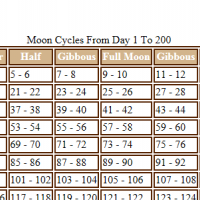
Don't Starve Lunar Calendar In Javascript
Save this html file to your desktop and open it in a browser. It will automatically generate a calendar of Don't Starves moon cycles going out to day 200. Input whatever day you want moon cycles calculated out to.
Notes:
I don't actually care if you put the file on your desktop or not, just put it somewhere that you can find it and open it.
Pigs will turn into werepigs on a full moon. Werepigs are very bad piggies and will likely attack you and kill you for no reason. This is also when woody becomes the doom incarnate of all vegetation.
The latest day I tested successfully was day 50,000. It was a very long calendar and the scroll-bar thingy was very small. If you intend to not starve for longer then 50k days then you may need a longer calender.
Internet Explorer may block content from the lunar calendar. It's blocking Javascript which is the programming language used to generate the calendar. I promise it won't hack your computer and install pop-up advertisements for "Over 100 horney chicks in your area can't wait to chat with you right now!"
This script won't hack anything at all actually. It's not a hack, it just makes a calendar. Just go ahead and hit "run script" or open it in Firefox instead.
While transformed into a werebeaver, you should refrain from eating the berry bushes you planted earlier that day. Bad Werebeaver! bad. bad. bad. You go back to the firepit and starve back into Woody right now!
Leave comments if there's some functionality you would like added to this calendar. Making it was kinda fun.
Don't Starve.
3577 downloads
Submitted
-

Crock Pot for Modders
From Modder for modders.
With these files the food out of the crock pot will be visible in the game. It's probably enough for a description.
Compatibility: there are no problems with the other mod
Contents:
files needed for the mod (catalogs)
information on how to install (install_how_to.txt)
guide on how to use (tutorial.pdf)
I wish you all a great amount of mods. If you have any questions, please write to priv or leave comments.
Guide is also available on forum: http://forums.kleien...l-modification/
979 downloads
Updated
-
use(): a require() for mods
Based on this thread, I decided to write a version of require() for mods. The use() function works just like require(), but looks for files taking the (root) mod directory as a base and runs them inside the mod environment.
Feel free to just drop use.lua into your mods. Below is some documentation on its behaviour, and I attached a simple sample mod ("usage") to show how to use it in practice.
Basic usage:
Advanced usage:
Why "use" and not "modrequire"?
189 downloads
Submitted
-

Minimap Icon Sample
This is a simple sample mod for adding your custom minimap icons. Nothing fancy, but the more samples the better.. I guess.
3087 downloads
Submitted
-
Example: Code Tips and Tricks
A working example of the tips/tricks detailed in this thread: http://forums.kleientertainment.com/index.php?/topic/29599-code-tips-and-tricks/
536 downloads
Updated
-

Example: Follow the Leader
By Cheerio
This script example makes all creatures you come across in the world follow you.
1549 downloads
Updated
-

Hat Example
By Cheerio
This is an example of a hat. This example requires the PC version of the 'Don't Starve Mod Tools'.
2509 downloads
Submitted
-

N Tools
N Tools adds six clickable button to the HUD for testing utility.
Time Jump
Moves the time of day/night one step.
Time Jump +
Move you forward five days time.
Start/Stop Precip
Starts or stops rain and snow.
Go Invincible/Vulnerable
Toggles invincibility.
Go Insane/Sane
Sets sanity to zero or full.
Dig
This button allows you to dig through the game variables and sort them by variable type as well as looking at each tables children. All of this in a visual UI.
Wish
This button allows you to grant items to your character for easier testing.
12779 downloads
Updated
-
TEXTool v1.2
TEXTool v1.2 by Handsomematt
Converts Klei .tex files to .png
Re-uploading this because it seems to be unavailable. Hope it's ok and the original author did not want it taken off.
13885 downloads
Submitted
-
Language Sample Mod
By Ipsquiggle
This mod demonstrates how to set up a language pack to be compatible with the mod system and with Steam Workshop. Language packs distributed this way will be easier to everyone to install and update!
For more information on creating a language pack, please read this thread.
2771 downloads
Updated
-
Wod Renamer
There may be a lot of unforeseen bugs with this. I hope not, but if you want to use it to refactor a previously code-named character, please BACK EVERYTHING UP.
The primary purpose of this tool is to rename all the character identifier WODs and wods in the sample character template to a codename picked by you. This isn't the descriptive name, just the identifier used to reference your character. Occasionally, if you discover your name isn't unique, you may need to use this to alter the internal codename to not interfere with another modder's mod.
STEPS:
1) Download the Sample Character ( I like to use the steam workshop version )
2) rename (or copy-rename) the folder from workshop-169568662 to taste.
3) run WodRenamer
4a) "Open!" the modmain.lua within the previously renamed folder.
4bOi) If you're not refactoring the character detected, and instead refactoring a different prefab: type the prefab's internal name into the lower inputbox.
4bOii) In the case of item, uncheck "character prefab" and check "item prefab"
4bOiii) Click "Override!" (Right side text dump should show what files fit the pattern.)
4c) If it looks like it found the right files, Type the desired codename in the lower input box, and click "Rename!"
Known issues:
Issue that just occurred to me: When using override -> rename WodRenamer won't check the lua files that reference, but don't include the name submitted. I'll have to fix that.
127 downloads
Submitted
-
Dig
A modding tool for looking at the GLOBAL variable in this game. Simply eat anything with the console open (use the ` key) and it will print out the first 15 variables eat again and it prints out the next 15.
To change the variable you are looking at change the modmain.lua file which has comments explaining what to change.
119 downloads
Updated
-

Sample Mods
By Ipsquiggle
These are official sample mods developed by Klei. They are very small and barebones, in order to get you started with modding. These are meant to serve as a starting point only and are not complete mods on their own!
Sample Prefab
This mod demonstrates adding a new object to the world which can also be put in the player's inventory. For testing purposes, one is added to the player's pockets every time the game starts.
Sample Character
Use this as a starting place for your own characters! Contains template artwork for character animations, saveslot portraits, and more! Note: This will require TEX tools in order to create .tex files from the provided .png images.
Also note that the template for the bigportrait is in it's own zip file for download size reasons, but both samplecharacter.zip and samplecharacter_bigportrait.zip together make the Sample Character mod and templates.
Sample Mod
A demonstration of very basic mod setup, including attaching a custom components and setting tuning variables.
149981 downloads
Updated
-

Music Mod Tutorial
By Cheerio
This tutorial will teach you how to create a mod which replaces the music in 'Don't Starve'. For this tutorial, we're going to replace the main menu music.
To follow this tutorial, download and extract this mod to your 'mods' folder and jump to the tutorial page here.
1358 downloads
Updated
-

API Examples
By Ipsquiggle
This mod is made by Ipsquiggle at Klei to show off various features of the mod API.
This mod is not meant to be played. It is for scripting demonstration only.
I'll keep this up-to-date as I add functions to the API so you have an example of how they are used.
Updated for the Stuff of Nightmares release! Tonnes of new functions and examples to check out!
14089 downloads
Updated


-
File Reviews
-


