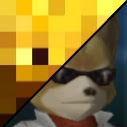
That_1Guy Posted January 6, 2017 Share Posted January 6, 2017 So I followed the steps concerning editing the scml found here and it rendered into spriter quite nicely. However, after autocompiling it and launching the game I got this...(the same result as manually moving the files around in spriter) In addition, I attempted to edit the .png's. However, the base canvas sizes aren't large enough and resizing them has this same screwed up effect. I tried to google solutions but have been unsuccessful ;/ Can anyone help me? Link to comment https://forums.kleientertainment.com/forums/topic/73143-spriter-character-incorrectly-exported-help/ Share on other sites More sharing options...
Mobbstar Posted January 6, 2017 Share Posted January 6, 2017 Did you change the resolution of the images? If so, you need to edit the spriter project in the text editor of your choice (I recommend notepad++ for this purpose, as you can set the language to "xml" for syntax colours). Manually adjust the image sizes at the beginning of the file. Link to comment https://forums.kleientertainment.com/forums/topic/73143-spriter-character-incorrectly-exported-help/#findComment-855877 Share on other sites More sharing options...
That_1Guy Posted January 6, 2017 Author Share Posted January 6, 2017 gah that's a good point... It didn't cross my mind that the art files drawn for me may have been resized, now I feel stupid lol. I will fix this and get back w you tmr if it works as its almost 2am and I shoulda been asleep hours ago Link to comment https://forums.kleientertainment.com/forums/topic/73143-spriter-character-incorrectly-exported-help/#findComment-855880 Share on other sites More sharing options...
That_1Guy Posted January 6, 2017 Author Share Posted January 6, 2017 thx very much!, this worked. Is there a way I can change the z hierarchy outside of spriter? Changing it inside the program doesn't seem to do anything Link to comment https://forums.kleientertainment.com/forums/topic/73143-spriter-character-incorrectly-exported-help/#findComment-855978 Share on other sites More sharing options...
Mobbstar Posted January 6, 2017 Share Posted January 6, 2017 20 minutes ago, That_1Guy said: thx very much!, this worked. Is there a way I can change the z hierarchy outside of spriter? Changing it inside the program doesn't seem to do anything This is sadly enforced by the animations in the game. Link to comment https://forums.kleientertainment.com/forums/topic/73143-spriter-character-incorrectly-exported-help/#findComment-855981 Share on other sites More sharing options...
That_1Guy Posted January 6, 2017 Author Share Posted January 6, 2017 rip lol the side view has the ear behind the head xp...I'll think of something Link to comment https://forums.kleientertainment.com/forums/topic/73143-spriter-character-incorrectly-exported-help/#findComment-855983 Share on other sites More sharing options...

Recommended Posts
Create an account or sign in to comment
You need to be a member in order to leave a comment
Create an account
Sign up for a new account in our community. It's easy!
Register a new accountSign in
Already have an account? Sign in here.
Sign In Now