

When using either of the new skins for the Sisturn, you'll notice that they have custom art for being filled with default flowers.
HOWEVER, they revert to the vanilla skin's look when given Evil Flowers or Lunar Petals, despite actually coming packaged with unique, custom art for these forms, leaving the the custom unused.
How it currently looks.
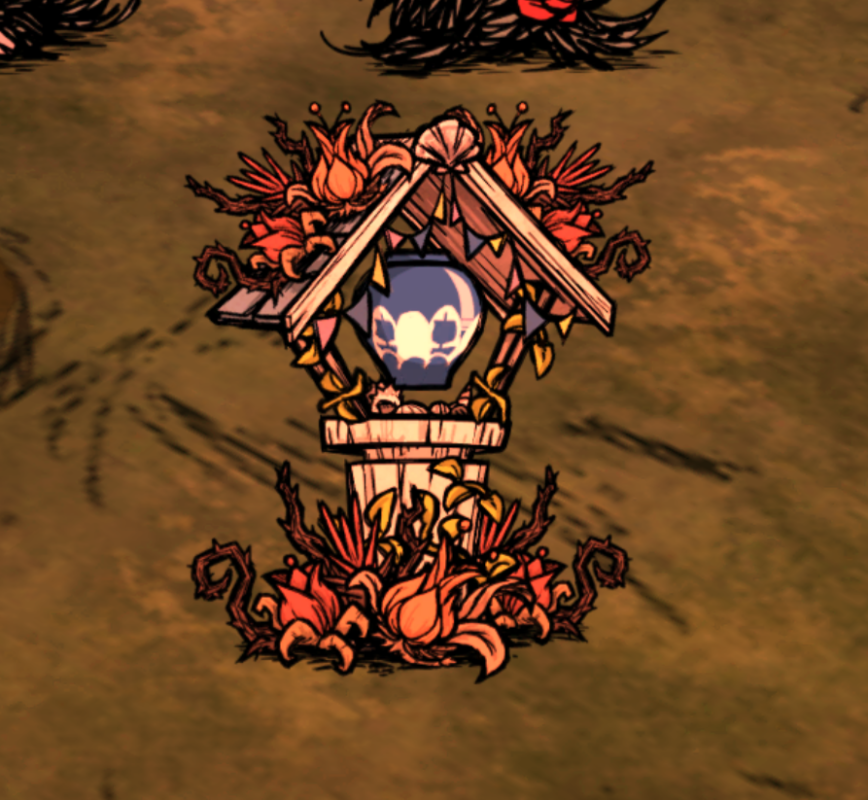
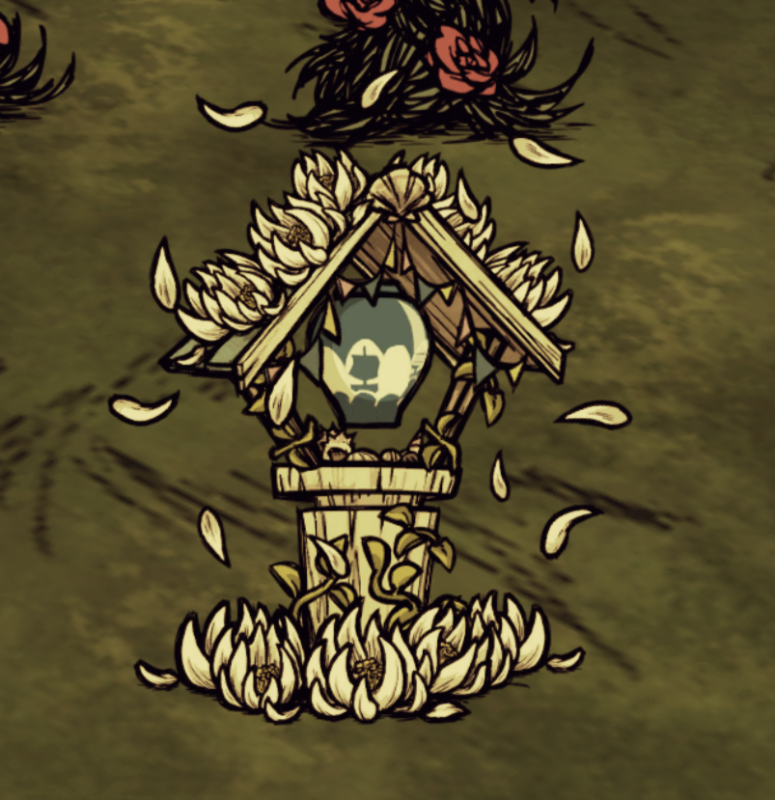
What SHOULD be used in their place.
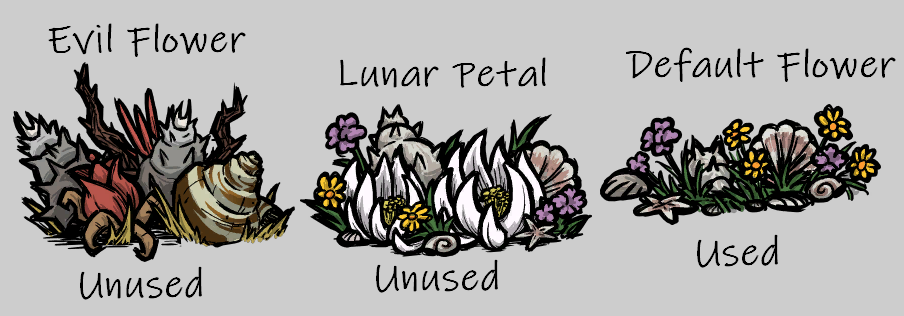
Note that this also applies to the bird themed skin as well!
Place a Sisturn down with either of its new skins. Notice how the default petals are given unique looks when the sisturn is filled.
Try placing Evil Petals or Lunar Petals inside the sisturn, notice all the art reverts to the basic look, instead of using the custom themed version of said petals art.
-
 1
1
-
 1
1
There are no comments to display.
Create an account or sign in to comment
You need to be a member in order to leave a comment
Create an account
Sign up for a new account in our community. It's easy!
Register a new accountSign in
Already have an account? Sign in here.
Sign In Now