

I was looting the Ruins when I found an inaccessible Moleworm Burrow, which was partially located inside the boundary of a Ruins pillar. The Moleworm was able to exit the Burrow, but would be unable to return to it, only being able to move in place. I was similarly unable to access the Burrow in order to dig it up. It poses a large issue if the Moleworm is able to return to the Burrow somehow off-screen and store any valuable Gems without me being able to somehow recover them. One of the screenshots show the Moleworm being unable to return to its Burrow, and the other screenshot shows me unable to dig it up, also only able to walk in place.
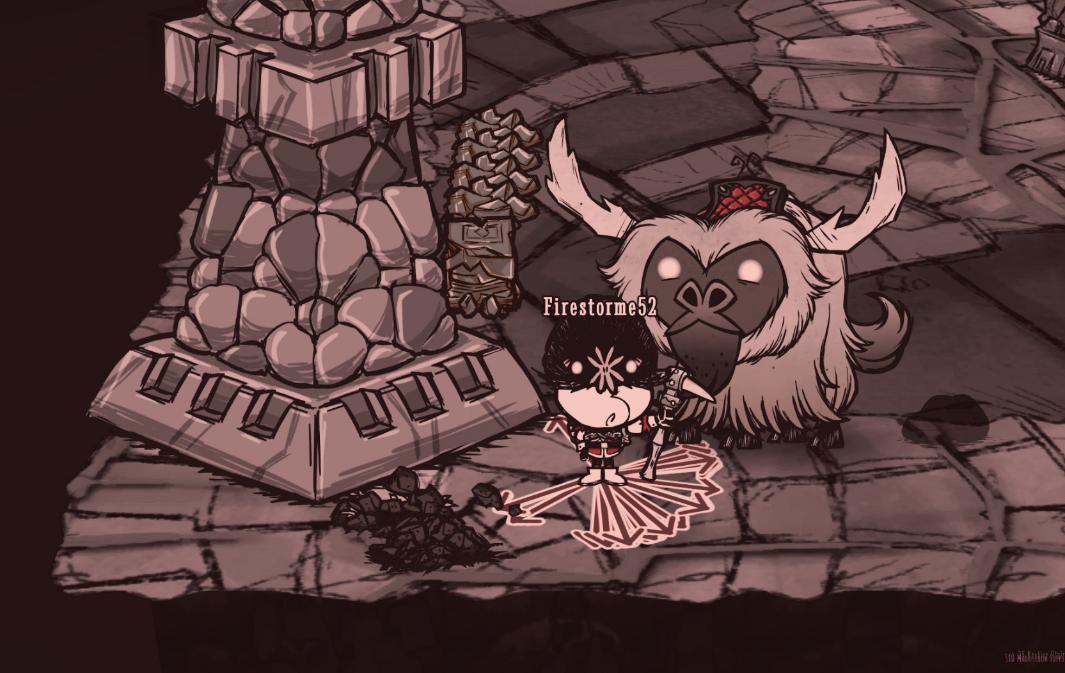
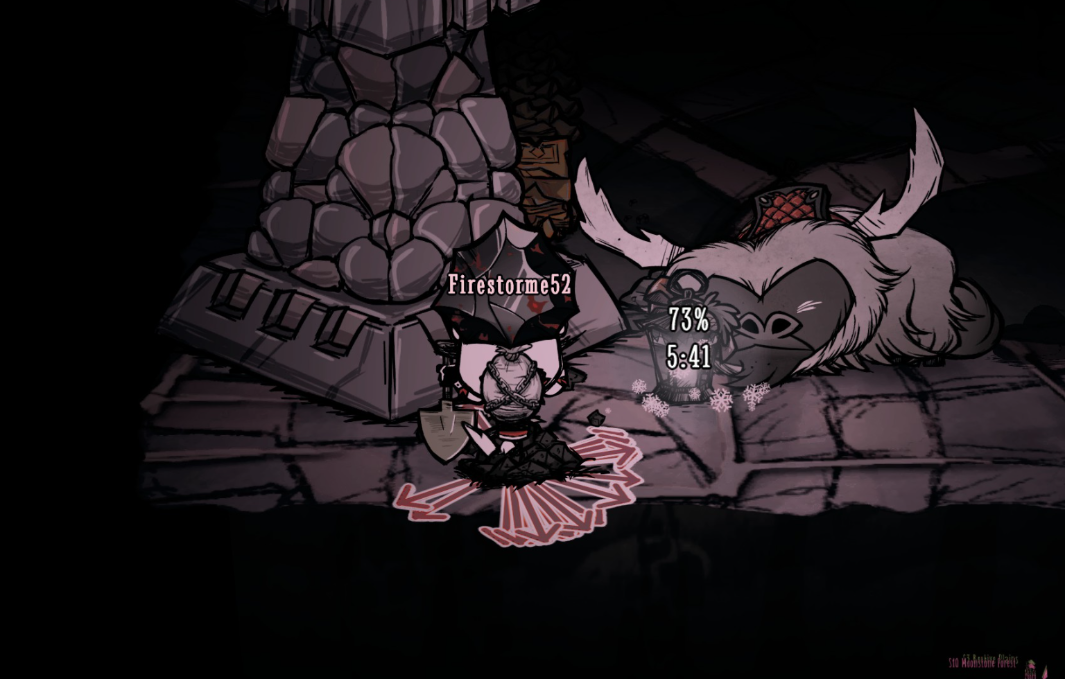
I was unable to see exactly how the Moleworm was able to create a Burrow inaccessible to itself, so I can only hypothesize how it came to be, since Moleworms typically move to a location then create a Burrow where they are. It may have dropped at a normally inaccessible side of the pillar, or inside the pillar itself. Further testing with console commands shows that I cannot reproduce it in an unenclosed space, which further supports the hypothesis that it may only be able to happen with the narrow spaces between the Ruins pillar and the invisible wall.
1. Wait for a Moleworm to drop from the ceiling of the Caves.
2. Wait for it to create an inaccessible Burrow in the Ruins next to a Ruins pillar.
Create an account or sign in to comment
You need to be a member in order to leave a comment
Create an account
Sign up for a new account in our community. It's easy!
Register a new accountSign in
Already have an account? Sign in here.
Sign In Now