

The game is displaying on my second monitor instead of my main one. While opened, it alters the settings of the monitor (upping screen brightness and lowering the monitor resolution, even outside the game). The game itself is also displayed at a low resolution and is stuck in fullscreen mode. I can't change the settings while in the game because the window is going outside my monitor. It also can't be moved to my main monitor because it forces my mouse back onto my second monitor's screen when I try to move the window over.
The only fix I have found is windows+shift+right to bring it to my main monitor and disabling fullscreen in the settings. Altering my client.ini file also helped at one point, but not while I was in the beta.
More than happy to share all of my settings! This is an issue I've had for a while now, even with an entirely different main monitor.
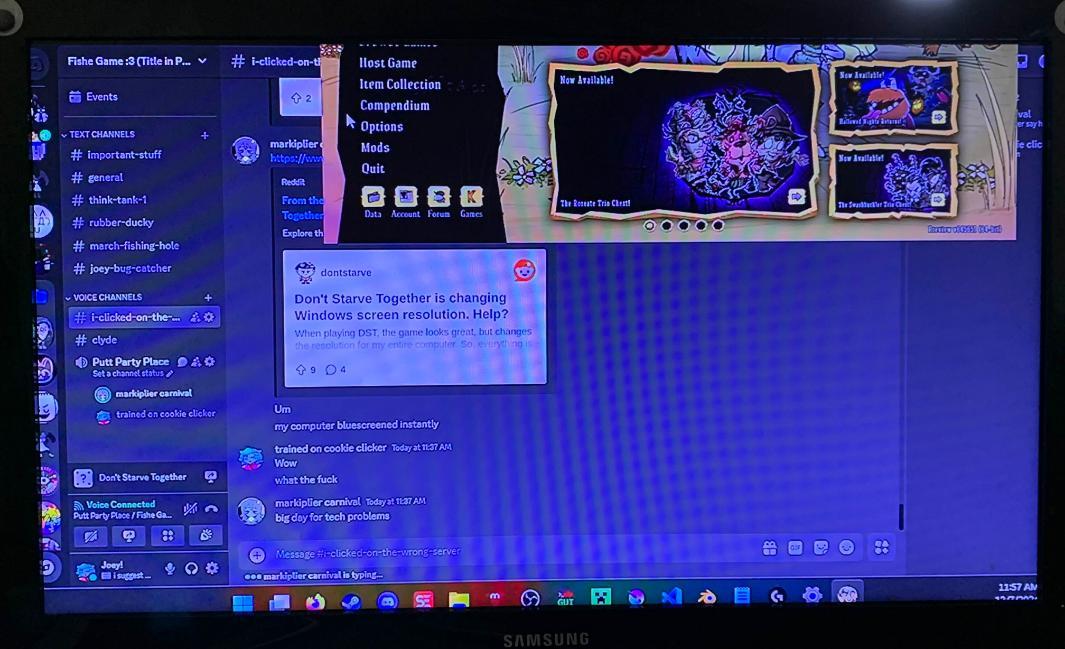
Attached is a photo of my second monitor as this happens. Screenshotting doesn't work, or else I'd show it better. Any help would be deeply appreciated!!
Steps to reproduce and fix:
-Open Don't Starve Together with two monitors (In my case, they have differing resolutions and refresh rates. Worth noting.)
-Game opens on second monitor in "fullscreen." This messes with the monitor's resolution until the game is closed, and displays half off of the screen and at a low resolution.
-Press win+shift+right to bring the window to the main monitor, and disable fullscreen there.
-Everything remains fixed unless you enable fullscreen again, no matter the resolution you set.
-
 1
1
-
 1
1
There are no comments to display.
Create an account or sign in to comment
You need to be a member in order to leave a comment
Create an account
Sign up for a new account in our community. It's easy!
Register a new accountSign in
Already have an account? Sign in here.
Sign In Now